
Expand the study area
Include neighbouring areas when flows or constraints cross the boundary.
Nohm Atlas
Use Atlas to view networks, land and assets. Set the study area and choose how much detail the model needs. These screens show European examples. We plan to add data and models for other regions.
Networks and assets
View assets and their connections. Add network layers or change the countries shown. Check the source and date of the data.
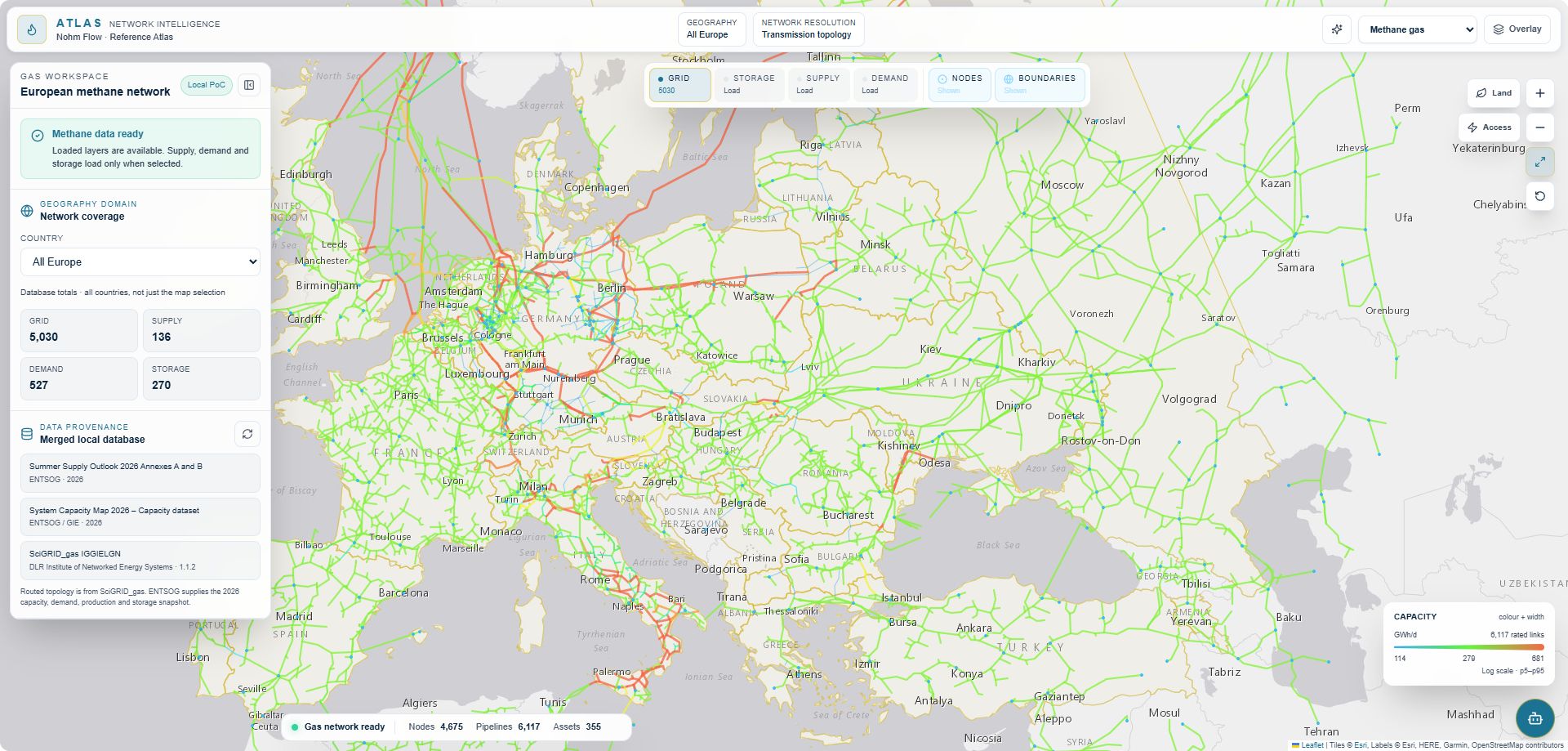
Nohm Atlas capture. Gas topology: SciGRID_gas; 2026 capacity and system data: ENTSOG/GIE. Basemap: Esri, HERE, Garmin and OpenStreetMap contributors.
What you can examine
Follow connections between generation, storage, demand and transport infrastructure.
Check a proposed site against protected areas, water and existing development.
Set the study boundary, then decide where zones are enough and where you need individual nodes.
Inspect the assets and flows in a model before you change a scenario.
The Artemis study applies the same system view to a conceptual lunar base.
Model scope
Use the map to choose the study area and assets to include in the model.
01 / Scope and resolution
Model one country, region or network at node level and keep surrounding areas less detailed.
Include neighbouring areas when flows or constraints cross the boundary.
Group similar regions before setting the model detail.
Mixed TSO view
Example: node level in the study area, less detail farther away.
02 / Model composition
Use the part of a larger model that the study needs. You can extend the study area or add another resource, such as water. Keep the original model for comparison.
Adapt an existing model instead of rebuilding every component.
Keep the original and updated scenarios for comparison.
Ways to adapt
Keep both model versions for comparison.
03 / In development
We are developing a way to prepare and run models from Atlas. Results would appear on the map.
Each run would record its scenario, climate year and model version.
Planned Atlas flow
Running models from Atlas is planned and is not shown in the current demo.
Use the platform to analyse the data and run models.
Explore the Nohm platform